
Run Meta ads without opening Ads Manager
317ads boils Instagram and Facebook advertising down to your goal, your ad, your budget and your approval. Behind the scenes, 317ads handles the campaign structure, the checks and the tracking.
14 days free · No setup fee
Ad creation
Choose your goal, let 317ads handle the setup
Do you want messages, sales or visits to your website? When you boost a post, you pick the goal in plain business terms. For a new ad, Meta’s list of objectives is there, and next to it “Which objective fits me?” finds the right one with a single question. 317ads turns your choice into the right campaign structure on Meta.
Boost your post
Turn a published post into an ad in four steps, for messages, profile visits or website visits.
Create a new ad
An ad from scratch, for sales, leads, messages, website traffic or awareness.
Manual setup for experienced advertisers
For when you’d rather choose the age range, interests and where the ad appears yourself.





Creative
Ad-ready images and copy
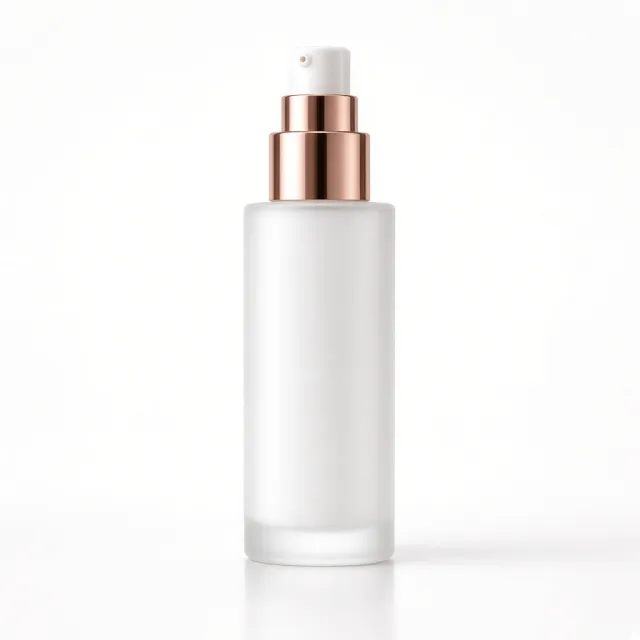
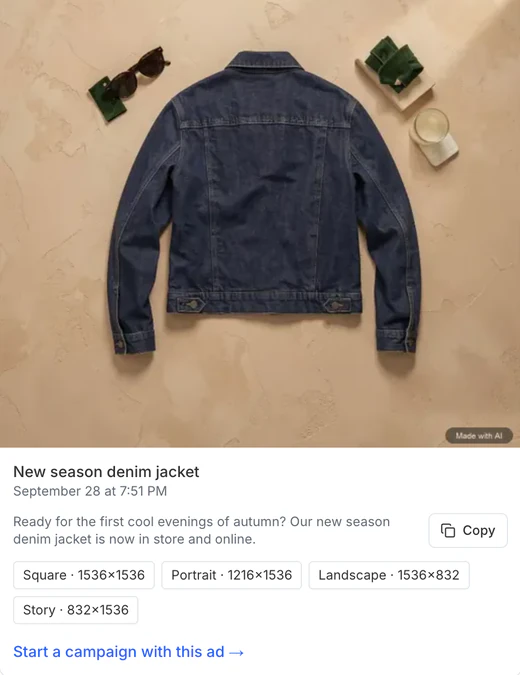
Upload your own image, use one of your posts, or generate an ad image from a photo of your product. Ad images made in AI Studio come in square, vertical, horizontal and story sizes. For a new ad, 317ads writes the copy, and it doesn’t go live without your approval.
Your brand comes ready
Your logo and colors are pulled from Facebook, Instagram and your website.
Text stays intact
Template text is placed on top of the image afterwards, so the letters don’t shift.
The required disclosure is added
Images generated with AI carry the statement the regulations require.
Targeting
You pick the place, Meta finds the people
All you choose is where the ad is shown: a city, a region, or the area around a pin you drop on the map. Meta’s own audience system decides who sees it, so you don’t have to guess ages and interests.
City, region or pin
A radius of 1 to 80 km on the map; you can add more than one place.
Verified locations
Every city and region is checked with Meta again. A place Meta doesn’t recognize isn’t silently dropped; you’re told.
More detail if you want it
In manual setup, you can also choose age, gender, language and interests.
Budget
See your spending cap up front
You choose a daily amount and a duration; the screen shows the most that will be spent and the day the ad stops. When you boost a post, you get a suggested amount based on your account’s history, and changing it is up to you.
A budget with an end date
The approval screen shows the most that can be spent over the period you chose.
Or run it until you stop it
If you boost a post with no end date, the limit is weekly and shown on the approval screen.
Your budget goes to Meta
Your ad budget is paid directly to Meta; the 317ads fee is a separate charge.
Safe publishing
No ad starts until you approve it
The campaign is first set up paused, then read back from Meta. If a payment method is missing, if the daily amount differs from what you approved, or if an ad you set to end has no end date on Meta, the ad doesn’t start; it stays paused.
Preview on the same screen as approval
When you go live in one step, “Go live” stays locked until Meta’s preview arrives.
Only prepare it for now
If you prefer, have it set up now and leave going live for later.
Stopping takes one click
Starting needs a confirmation that shows the amount; stopping asks nothing.
Optimization
It tells you what should change, in plain language
Your campaigns and ads are read using Meta’s data. If costs are rising, an ad isn’t bringing results, an ad is wearing out, or there’s an opportunity to raise a budget, Optimization lists it in order of importance. The recommendations are chosen by Meta’s data and fixed rules; AI only writes the summary. A change is made to your account only when you apply it.
Cost tracking
If enough results have come in and the cost per result has risen by at least 30% versus the previous period, the campaign is flagged “Cost rising”.
Ad fatigue
If the same people see your ad more often and click it less, you get a “The ad is tiring” warning and a suggestion to prepare a new image.
Meta’s recommendations are here too
The recommendations Meta makes for your account appear in the same list.
Results
See what happened at a glance
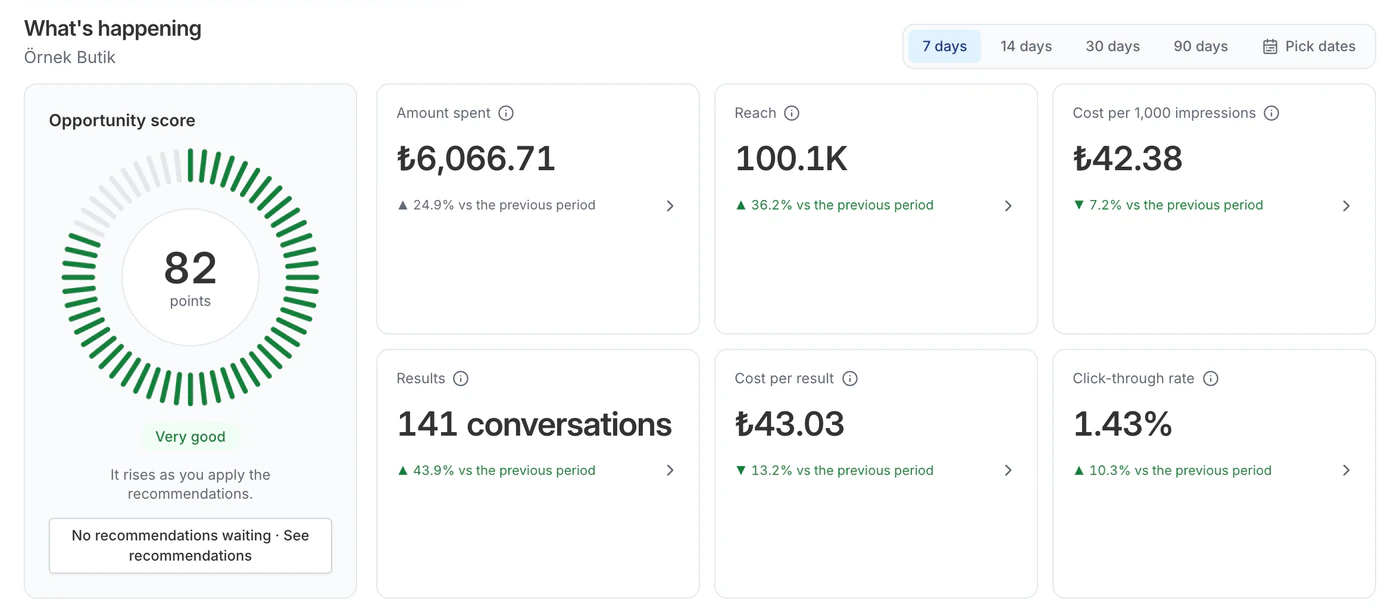
You see what was spent, how many results came in and what each result cost, compared with the previous period. A result is counted by your goal: a conversation, a visit or a purchase.
Compared with the previous period
You see the change next to every number.
Review notifications
The panel lets you know when your ad passes Meta’s review.
PDF report
Download the period’s report in one click.
Frequently asked questions
I’ve never used Ads Manager. Can I use 317ads?
Yes. You don’t need to know any Meta terms to boost a post. For a new ad you’ll also see Meta’s list of objectives; if you’re not sure, “Which objective fits me?” finds the right one with a single question. 317ads builds the campaign structure.
Where will my ads appear?
Primarily on Instagram and Facebook; when Meta sees fit, it can also show them in its other placements, such as Messenger. With a messages goal, conversations arrive in Instagram, Messenger or WhatsApp. Unless you chose manual setup, Meta’s own system decides where they’re shown.
Whose account are the campaigns set up in?
In your own Meta ad account. 317ads does the setup; the campaigns also show up in Ads Manager and stay in your account.
Can the AI publish my ad on its own?
No. AI prepares the ad copy and image and writes the summary in Optimization; the recommendations themselves are chosen by Meta’s data and fixed rules. No change is made and nothing goes live without your approval.
Get your first ad ready with 317ads
No setup fee, and your first subscription is free for 14 days. Your card is verified with iyzico; canceling during the trial is free.